Server Solutions
Dedicated Server Rental Meet your physical server needs with dedicated server rental Explore Now
Virtual Servers Scalable, high-availability server rental services with our high-performance cloud server solutions. Explore Now
İlkbyte Cloud Fully developed by Netinternet, flexible and scalable cloud servers with cloud technology Explore Now
GPU-Based AI Infrastructure High-performance GPU solutions created on a project basis for your AI and machine learning projects Explore Now
Server & Hardware Procurement Server and hardware procurement services with equipment suitable for your projects Explore Now
Customized Infrastructure Solutions Custom-designed infrastructure solutions and technical consulting services for your unique needs Explore Now
Hosting Services
Cabinet Rental Dedicated 15U, 24U and 48U smart cabinet systems allocated for you Explore Now
Server Colocation Individual server hosting service in shared cabinet systems Explore Now
Premium Connectivity Fast and reliable internet access with multi-carrier, multi-IXP and high-capacity Anti-DDoS protection Explore Now
Telecom Data Center Circuit Low-cost and high-performance internet access through a dedicated data center tariff Explore Now
Cross-Connect Direct connection between network carriers with low latency and high performance Explore Now
IP Address Pricing IP address and ASN rental services with RIPE LIR management services Explore Now
Managed Services
Managed Server Installation, configuration, regular maintenance, updates and 24/7 monitoring of your server operating system Explore Now
Managed Infrastructure End-to-end management of your entire IT infrastructure including data center, storage, virtualization and backup Explore Now
Managed Network Professional management and monitoring of network devices (router, switch, firewall) configuration, optimization and performance Explore Now
Managed Cloud (Public / Private) Professional management of your public and private cloud infrastructures to meet your cloud needs Explore Now
Managed Security 24/7 monitoring, analysis and response services against cyber security threats Explore Now
Managed Backup & Disaster Recovery Backup and disaster recovery plans, implementation, operation to ensure your data security and business continuity Explore Now
License Rental
cPanel Licenses cPanel software license rental solutions Explore Now
Plesk Licenses Plesk software license rental solutions Explore Now
DirectAdmin Licenses DirectAdmin software license rental solutions Explore Now
LiteSpeed Licenses LiteSpeed software license rental solutions Explore Now
CloudLinux Licenses CloudLinux software license rental solutions Explore Now
Cyber Security
HEIMWALL Fully developed by Netinternet, protect against cyber attacks with our Web Application Firewall solution Explore Now →
AntiDDoS High-capacity volumetric Anti-DDoS protection provided free by default on all our services Explore Now →
VPN Solutions Secure, encrypted tunnel connections for your remote offices and employees with our managed VPN solutions Explore Now →
Layer4 Stateless Firewall Layer4 stateless firewall solution for filtering and directing incoming traffic Explore Now →
SSL Certificates Secure connection solutions with free and paid SSL/TLS certificate options Explore Now →
Penetration Tests Penetration tests performed by third parties in cooperation with TSE-approved testing firms Explore Now →
Corporate Email
Corporate Email Solutions Fully domestic, KVKK compliant, 100% compatible with Outlook and all mail programs, professional, uninterrupted email service Explore Now →
Bulk Email Sending Manageable bulk email sending services with high delivery rates for your marketing campaigns Explore Now →
Email Archiving Secure archiving of all your email traffic to protect corporate memory and comply with legal requirements Explore Now →
Free Email Migration Service Wherever your email service is, we migrate you to Netinternet corporate email solution for free! Explore Now →
Traditional Web Hosting
cPanel Web Hosting Fast and reliable hosting packages with easy setup and management using cPanel, the world's most popular hosting management panel. Explore Now →
cPanel Reseller Hosting Fully customizable cPanel-based reseller hosting solution for starting your own hosting business Explore Now →
DirectAdmin Reseller Hosting Scalable and cost-effective reseller hosting powered by lightweight DirectAdmin control panel Explore Now →
Free Hosting Migration Service Professional migration services to move your existing systems to Netinternet data center infrastructure Explore Now →
Domain Names
Domain Registration Services Domain registration and easy management at the most affordable prices in all popular extensions (.com, .net, .org, etc.) Explore Now →
Domain Transfer Services Transfer your domains to Netinternet for professional domain management services Explore Now →
Domain Reseller Flexible and reliable reseller program and integration services for offering domain registration to your customers Explore Now →
Free Hosting with Domain Free hosting service for domains registered or transferred to Netinternet Explore Now →
Hosting & Cloud Service Providers High-density infrastructures, multi-tenant architectures and SLA-focused sustainable data center solutions for hosting and cloud providers Explore Now →
E-Commerce Companies High-performance, secure and uninterrupted e-commerce infrastructures resilient to sudden traffic surges during campaign periods Explore Now →
Software Developers Developer-friendly infrastructure solutions with CI/CD compatible, API-supported, automation-ready flexible resource management Explore Now →
SaaS Providers Scalable, high-availability and continuity-focused cloud infrastructures suitable for SaaS architectures serving many users. Explore Now →
AI & R&D GPU-based high-performance and scalable infrastructures for big data processing, model training and high computation tasks Explore Now →
Agencies & Marketing Multi-client management compatible, quick setup, high-performance and flexible web hosting infrastructures Explore Now →
Media & Broadcasting High bandwidth and low latency infrastructure solutions for live streaming, video and heavy content traffic Explore Now →
Banks & Fintech Regulation-compliant, Tier-3/Tier-4 standard, highly secure financial infrastructures ensuring uninterrupted service Explore Now →
Government & Education Long-term, sustainable and secure infrastructure solutions compliant with regulations and data security requirements Explore Now →
Manufacturing / Industry Low-latency and high-availability infrastructure solutions compatible with Industry 4.0, IoT and production automation systems Explore Now →
Healthcare Organizations Highly secure and uninterrupted health informatics infrastructures prioritizing patient data privacy and continuity Explore Now →
HEIMWALL – Web Application Firewall Protect your web applications against advanced attacks with our 100% domestic WAF platform HEIMWALL Explore Now →
Ilkbyte - Cloud Server Service Scalable and high-performance cloud servers deployable in seconds with our domestically developed orchestration infrastructure Explore Now →
Netrafix - Bandwidth Monitoring Manage 5651 compliant logging and bandwidth billing (Burst, Traffic Quota, 95th Percentile) in one platform with sFlow, NetFlow and IPFIX supported Netrafix Explore Now →
Secure Internet - For ISPs Keep your DNS traffic in your own network with 100% domestic DNS software developed for authorized ISPs Explore Now →
DirectIP - IP Management System 100% domestic IP management platform developed by Netinternet for centralized IP address, subnet, VLAN and DHCP management Explore Now →
RuleDNS - Rule-Based DNS Management Dynamically manage DNS responses with rule-based RuleDNS, easily integrate CDN and services with API support Explore Now →
Documents / Whitepapers Developer-focused technical documentation covering all API endpoints, usage scenarios and automation examples Explore Now →
API Documentation Developer-focused technical documentation covering API endpoints, usage scenarios and automation examples for platform integration Explore Now →
Peering Policies Reference policies transparently explaining our network architecture, traffic exchange principles and peering criteria Explore Now →
Frequently Asked Technical Questions Clear and actionable answers to the most frequently asked technical questions about infrastructure, security and operations Explore Now →
System Status Status page transparently sharing real-time status, planned maintenance and past outages of all platforms and services Explore Now →
Our Physical Data Center
Our Physical Data Center Our corporate data center facility designed with high security standards and redundant power and cooling infrastructure Explore Now →
Power, Cooling, Security Facility architecture designed for critical infrastructures with redundant power lines, climate systems and multi-layered physical security Explore Now →
Internet Access Points Low-latency and high-availability backbone connections through multiple operators and internet exchange points Explore Now →
Network Infrastructure
Network Infrastructure Uninterrupted connectivity infrastructure with multi-carrier connections, redundant backbone and high-capacity network architecture Explore Now →
Network Policies Sustainable network operation policies with transparently defined rules for traffic management, peering, security and capacity usage Explore Now →
Planning and Processes Scalable and controlled network management approach with pre-designed network capacity planning, growth scenarios and operational processes Explore Now →
Certificates and Documents
Our Certifications We provide auditable and sustainable infrastructure standards with our certifications for information security and service continuity Explore Now →
Security Policy We ensure protection of infrastructure and data with our security policies covering information security, access control and risk management Explore Now →
KVKK Compliance Data processing and storage structure compliant with KVKK and related regulations with defined technical and administrative measures for personal data protection. Explore Now →
Quality Policy Our quality management policies within the scope of ISO 9001 for continuous improvement of service quality. Explore Now →
Service Management Policy Our policies and standards governing IT service management processes within the scope of ISO/IEC 20000-1. Explore Now →
Business Continuity Policy Our ISO 22301 compliant policies and procedures ensuring business continuity against possible outage scenarios. Explore Now →
Incident Management Policy Our incident management processes and action plans for the detection, response and resolution of security incidents. Explore Now →
Supplier Security Policy Our policy governing information security requirements and risk assessment processes in supplier relationships. Explore Now →
Disclosure Text Text prepared within the scope of our disclosure obligation regarding the processing of your personal data under KVKK. Explore Now →
Cookie Policy Our policy regarding cookies and data collection practices used on our website. Explore Now →
Hosting Provider and Legal Obligation Policy Legal obligations we fulfill as a hosting provider under Law No. 5651. Explore Now →
Blog Posts Technical analyses, sector evaluations and current content about data center, network, cyber security and cloud technologies Explore Now →
Case Studies Reference case studies describing needs encountered, solutions applied and outcomes achieved in real projects Explore Now →
Events and Announcements Events we attend and organize, technical meetings, launches and current announcements about Netinternet Explore Now →
19 Years of Experience

Blog Posts

Discover the success stories of our customers' digital transformation journeys. Each project demonstrates the power of our reliable infrastructure.

Başarı Hikayeleri
Sunucular
2958 Hit
2 Comments

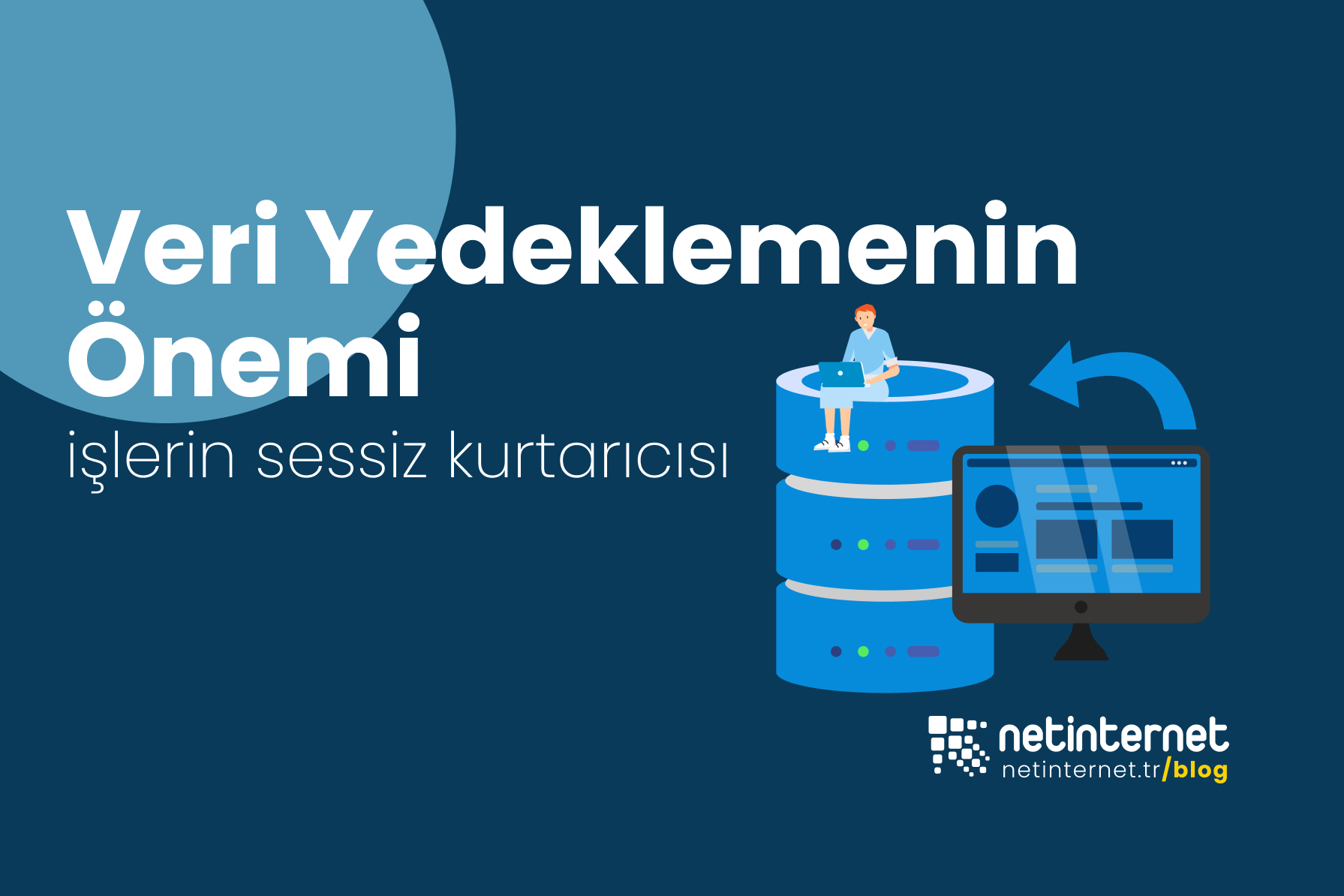
The Importance of Data Backup: The Silent Savior of Businesses

Monday morning. You made your coffee, turned on the computer, logged into the site/system and… something is wrong. Cannot log into panels, orders are not showing, customer files cannot be opened, or worst of all, cannot access systems at all. You check your email inbox and an email says “your files have been encrypted.” That moment you understand: “If only not yesterday, not last week… if only there had been a proper backup infrastructure where a backup was taken every day.”

Data backup may sound like a boring IT routine. But in reality, it is one of the vital actions that keep businesses on their feet. Nothing seems to be happening today, until a small disruption suddenly grows. A software update error, an accidental deletion, an unexpected disk failure, or an innocent-looking email opened by one of your employees… All of them give rise to the same question: “Can we go back?”

Backup: The Way Back

Taking backups does not of course mean zero risk; our lives do not work that way either :) But it is the guarantee of “quickly returning to normal when something goes wrong.” Even the psychological effect of having a backup is quite large: Instead of panicking, teams follow the plan, and since it is almost certain that the problem will be solved, they behave more calmly and constructively when talking to customers.

Think of an e-commerce site. If the database crashes during a campaign week when carts are overflowing, not hours but minutes become important. Or you are a photographer; if the wedding shots of a customer are in a single copy and storage devices malfunction, it becomes almost inevitable that you will construct sentences starting with “if only.” This is exactly what backup does – it silences these “if onlys” from today.

How to Understand If a Backup Is “Good”?

Without getting bogged down in technical terms, you can understand whether a backup is strong with four simple features:

  1. Current: Not yesterday, not last week if possible today. Especially in live systems running on hosting, VDS/VPS or physical servers, a “fresh backup” is worth its weight in gold.
  2. In a separate location: A copy on the same machine is not a copy. A different disk, different cloud, different location… in short “somewhere else.”
  3. Secure: Encrypted and with limited access. Even if an uninvited guest enters, the backup files should not be useful to them :)
  4. Tested: The most important part. Saying “we took it” is not enough; saying “we opened it, it worked” is required.

These four items are actually a summary of a technical standard. For this reason, without needing to know very technical terms, you can say “if these four features are present, I feel comfortable.”

Transformation of Data: A More Fragile World Every Day

Our data is evolving: more online sales, more images/videos, more integrated business applications. Good news, infrastructures have accelerated; in environments like Netinternet Data Center, all processes such as internet infrastructure, energy, cooling, and security are professionally managed. Bad news is that problems have also accelerated: attacks are more creative, errors are more invisible, the impact of interruptions is greater. That is why backup needs to go from being a “task remembered once a month” to becoming part of daily life and one of the steps of each change. Just like wiping the window before opening the store, counting the cash register…

Backup Scenarios

Let us summarize the basic features of a generally applied backup scenario; think of it through a day’s flow:

  • While everyone is asleep at night: The system automatically copies the files and database of the site on the hosting account. For applications on VDS/VPS, the backup operation that takes only the changed items at the hours you have planned kicks in.
  • In a separate location: These copies are kept in a different storage; if you want, in a geographically separate location. So they do not share the same fate as the machine experiencing the problem.
  • Securely: Data goes encrypted on the road and stays encrypted in storage. Only those you authorize have access.
  • During the day, at the office: If a problem is noticed, you can tell Netinternet’s support teams “let us go back to yesterday’s 10:00 backup.” Recalling the image within minutes can be a more efficient and definitive solution in some scenarios than spending hours searching for the error.

Customized Backup Configurations

One of the most important elements in backup is that it is customized. In-house systems, e-commerce systems, etc. each system may need a different backup configuration. The most suitable structure for that job needs to be set up here. This structure is configured by taking into account many variables such as “backup schedule, number of copies, location, maximum retention period” for the relevant data.

“Experienced(!)” Small Stories

  • Cafe chain: New POS version installed, stocks were calculated incorrectly. When the cash register did not match the report at the evening closing, the noon backup was restored; the day was not lost, nerves were not frayed.
  • Agency: The client updated the theme in WordPress and the site crashed. Instead of looking for a developer, the “10:15 backup” came back. The client and traffic were barely affected.
  • E-commerce: The campaign code was defined incorrectly, discounts overlapped in all carts. Thanks to the backup, a few hours of orders were moved to the error-free scenario.
  • Hosting Providers: A security vulnerability in an outdated version was exploited and malicious guests who got inside encrypted all data. Thanks to the backups, access to your data is still possible. The vulnerability was closed and data was restored.

The scenarios, sectors, and jobs may look very different from each other but actually there is a common point: nobody talks about a “heroic” IT operation. Because good backup does not create a story. It quietly does its job.

Is Backup an Extra Cost?

The cost of a backup plan is generally cheaper than two things: the cost of interruption and reputation loss. Especially in critical applications running on VDS/VPS servers, the bill for one hour of downtime is often greater than a monthly backup cost. We hope your systems never need to fall back on a backup, but if there is a “good backup” infrastructure in the background, this infrastructure earns all its investment when things go wrong. We can say this comfortably.

A Simple Habit: Friday Check

Let us come to the human side of things. Do a mini 10-minute routine every Friday morning:
Look at the backup report, open a random backup in a test environment, check a couple of files or a small database. This small ritual is the most solid way to say “our data loss risks are under control” in management meetings.

Build the Right Infrastructure Configurations with Netinternet

  • If you are saying “what is the right plan for us?”, we first do a brief exploration: which sites, which data, how often does it change?
  • Then we design a flow suitable for you: daily file+DB for hosting, more frequent copies for frequently changing folders on VDS/VPS, full backup + fast restore option for dedicated/physical servers, geographically separate storage for cabinets
  • The last step, the most important: restore rehearsal.

Backup is one of the items most prone to being overlooked; because as businesses grow, the agenda becomes crowded and some possible problems, “remain invisible as long as systems are running.” But one day when the problem shows itself, a good backup sounds like this: “Don’t worry, I’m here.” :)

As we approach the end of our article, I would like to tell you about our managed servers service, where all technical operations including backup configurations customized for your business are performed by Netinternet’s expert teams.

Managed Servers - What Do We Undertake?

There are dozens of small but critical jobs that need to be done every day on the server side. Backup, security, update, monitoring… Netinternet’s Managed Servers service comes into play exactly here.

  • Installation and migration,
  • 724 monitoring and proactive intervention,
  • Automatic backup and restore rehearsal,
  • Up-to-date security measures and patch management,
  • Performance tuning and scaling,
  • Monthly health report

In short, Netinternet’s expert teams follow everything related to “server” regularly and with an invisible background effort on your behalf.

The nicest part of this approach is that it is quiet enough not to be noticed when things are going well; and fast enough to comfort you within minutes when needed. When a problem arises, no “who will look at it?” panic — our expert team will always be there working for you.

Need to restore from backup? The plan is ready. Did traffic suddenly increase? Resources are scaling. Did a security update come out? It has already taken its place on the schedule.

With Netinternet, your servers are safe, your performance is controlled, your data is secure.

In this article, we tried to explain that the importance of backup configurations is rising day by day. We hope it has been an explanatory content for you. See you in the next article..

2958 Hit
0 Comments
View Details
Sunucular
2696 Hit
2 Comments

The Heart of the Digital World: Servers

In today’s digital age, there is a fundamental component that plays an active role in every corner of the internet, but often remains in the background: servers. Let us think for a moment, you wake up in the morning and check the notifications on your cell phone, then maybe you send an email or want to check the status of your order. With a single click, all the information you are looking for at that moment instantly appears on your screen. Well, how is this possible? This is exactly where servers come into play to provide this data exchange. All the data you want (articles, images, videos) is actually stored on a server and when you make a request, the relevant server sends you this data and allows you to see it on your device. In short, every digital interaction on the internet takes place with the existence of one or more servers. From the operation of our websites to our emails, from online games to cloud storage, every kind of digital service you can think of is possible thanks to servers.

A server, in its simplest definition, is a powerful computer system that provides services and resources to other computers (“clients”) on a network. Servers are designed to operate continuously 247 and are equipped with special hardware and software to provide high performance, security, and stability. When you visit a website, you have actually requested data from a web server where the site data is stored. The server receives this request, processes it, and sends the requested information to your device.

Why Do We Need a Server?

So why do we need a special server instead of our own computer? The main reasons for this are:

  • Uninterrupted Operation: Websites or applications must be constantly accessible. Servers are designed for this purpose.
  • High Performance: They have the capacity to quickly process many simultaneous requests.
  • Security: They offer advanced security measures to protect sensitive data and be resistant to cyber attacks.
  • Scalability: They offer the flexibility to increase or decrease resources as the workload increases.
  • Accessibility: They provide 247 access from anywhere with an internet connection.

Server Types: Solutions According to Need

Servers are configured in various types according to different needs and scales. Here are the most common server types:

1. Physical Server (Dedicated Server)

A physical server is an independent hardware that is exclusively allocated to a customer or organization, with all resources (processor, RAM, storage, etc.) used only by that user. You can think of it like renting a house all by yourself; all the space and amenities belong to you.

Who Is It Suitable For?

It is ideal for very high-traffic websites, large-scale applications/services, game servers, intensive workloads, or businesses with special security requirements. Netinternet’s Dedicated Server services offer custom solutions in this area.

Advantages:

  • Full Control and Customization: You can configure everything from the operating system to software according to your own needs.
  • Maximum Performance: Since all hardware resources belong to you, you are not affected by the usage of any other user.
  • High Security: Thanks to resource isolation, you are not affected by the security risks of other users.

2. Virtual Servers: VDS and VPS

Virtual servers are obtained by creating multiple independent server environments on a single physical server through software. This means dividing the resources of the physical server (CPU, RAM, storage) into sections with virtualization technology. VDS and VPS are the most common virtual server types known.

VDS (Virtual Dedicated Server)

VDS are virtual servers where the hardware resources of a physical server are divided in a specific and guaranteed manner with virtualization technology. It is like renting an apartment; you have a specific area and resources allocated to you that are not shared with others.

Who Is It Suitable For?

It is ideal for high-traffic web services, corporate applications, and users with higher performance expectations. Netinternet’s VDS Virtual Server services meet this need in the most performant way thanks to the high-speed SSD disks they house.

Advantages:

Guaranteed Resources: Resources such as CPU and RAM allocated to you are always available for your use, not affected by other VDS.

Higher Performance: More stable and performant than VPS because the risk of resource conflict is low.

Isolation: Provides better isolation and security.

VPS (Virtual Private Server)

VPS are virtual servers where the resources of a physical server are divided with virtualization but unlike VDS, resources can be dynamically allocated from a shared pool. You can think of it like a few families living in the same apartment building but using water from a common pool; usage can change according to instant demand.

Who Is It Suitable For?

It is suitable for small and medium-sized projects, blogs, or those looking for budget-friendly solutions.

Advantages:
  • Cost Efficiency: Generally more affordable than VDS.
  • Flexibility: Easier to increase and decrease resources according to need.

3. Managed Server

Managed server service is a solution where all technical management processes of your physical or virtual server (installation, configuration, security updates, backups, troubleshooting, performance optimization, and proactive monitoring) are undertaken by your provider. This service provides great convenience for institutions that do not want to deal with the technical details of their server or do not have sufficient knowledge, time, or personnel on this subject.

Who Is Managed Server Ideal For?

  • Large-Scale Corporate Companies: Companies that prefer to outsource the expertise needed to manage large and complex infrastructures rather than keeping it in-house, and companies that are sensitive about cybersecurity and compliance.
  • Businesses Without Technical Personnel: Companies that do not have sufficient technical teams to do 247 server management in-house or that want to focus on their core business.
  • Companies with Critical Applications: Projects such as e-commerce sites, banking or healthcare sector applications where uninterrupted uptime and high performance are vital for business continuity.
  • Those with Time Constraints: Business owners who prefer to focus on business development rather than dealing with operational burdens such as server maintenance and troubleshooting.

Advantages of Managed Server:

  • Expert Support and Proactive Management: 247 monitoring by expert teams in servers, early detection and resolution of possible problems.
  • Advanced Security: Providing maximum protection with continuous security updates, penetration tests, firewall management, and malware scans.
  • Performance Optimization: Ensuring the server is configured in the best way, continuously running at high performance with software updates and performance settings.
  • Disaster Recovery and Backup: Minimizing the risk of data loss with regular data backups and disaster recovery scenarios.
  • Cost and Time Savings: You save the cost of setting up and training your own technical team, and you increase your efficiency by focusing on your core business.

With Netinternet’s Managed Servers service, you can leave the workload to professional hands and ensure that your digital presence works uninterruptedly and securely.

4. Cloud Server

Cloud servers, although similar to virtual servers at their core, are virtual servers where physical hardware resources are not tied to a single machine but are dynamically allocated from a wide “cloud” infrastructure consisting of multiple servers. You can think of it like checking into a hotel; the number of rooms and resources is almost unlimited and can flex according to your needs.

Who Is Cloud Server Suitable For?

The flexibility, scalability, and high availability offered by cloud servers make them an ideal option for a very wide variety of user profiles and business models. Here are situations where cloud servers are especially useful:

Development and Testing Environments: Programmers and development teams can quickly set up and shut down server environments to test new applications or websites. When the project is completed or the test is finished, they can prevent unnecessary costs by shutting down the server. This is a great advantage especially for teams constantly working on new projects or needing different test scenarios.

Businesses Wanting to Optimize Their Budget: Since cloud servers work on a “pay as you go” model, they eliminate the need for a large upfront investment. This is an attractive option especially for startups in the early stages or SMEs that want to tightly control costs. You only pay for the resources you consume.

Disaster Recovery and Backup Solutions: Thanks to the natural redundancy and distributed structure of cloud infrastructure, you can back up your data and applications to different geographic locations and quickly continue your service in case of a possible disaster. This is critically important for business continuity.

Big Data Analysis and Machine Learning Projects: For projects requiring intensive processing power or high storage capacity, cloud servers offer scalable resources on demand. Instead of a long-term fixed hardware investment, it provides the flexibility to rent high resources at certain stages of the project.

Cloud servers are a modern and powerful option for any project and business that wants to manage its digital infrastructure wisely, with the advantages of flexibility and cost efficiency.

Advantages:

  • High Flexibility and Scalability: You can increase and decrease resources (CPU, RAM) within seconds instantly as needed. This way, you pay only for the resources you use.
  • High Availability and Redundancy: Even in case of physical server failure, service continues without interruption through another server.
  • Payment Model: Generally pay-as-you-go model, which allows you to optimize costs.

Server Hosting Service

Server hosting is a service where you purchase your own physical server, manage and maintain it yourself, while hosting your server in a data center. This service allows you to receive the secure environment, high-speed internet connection, uninterrupted power supply, air conditioning, and physical security required for your server from a provider like Netinternet.

Who Is It Suitable For?

It is ideal for large enterprises or technology companies that have invested in their own server hardware but want a professional data center environment and connection speed. Netinternet’s Server Hosting services are prepared to meet all requirements for your servers at a high level.

Critical Components in Server Hardware

SSD Disks (Solid State Drive)

These are storage units with much faster data reading and writing capacity compared to traditional HDDs (Hard Disk Drives). SSD disks allow applications, databases, and websites on the server to respond much faster.

Advantages: High speed, low latency, less energy consumption, more durable structure.

Why Is It Important?

It is of critical importance especially for database-intensive applications, high-traffic websites, and projects that want fast page loading times. You can host your projects on high-speed servers with Netinternet’s SSD VDS Virtual Server services.

Processor (CPU) and RAM

Processor (CPU): It is like the brain of the server, performing all calculation operations. The more powerful the processor, the more and faster the server can process. Servers generally use multi-core and multi-processor supported CPUs.

RAM (Memory): The area where the processor temporarily stores the data it needs at the moment. Sufficient RAM ensures that applications run smoothly and multiple requests can be processed simultaneously. Server RAM is generally error-correcting coded (ECC RAM), focusing on ensuring data integrity.

Server Usage Areas and Special Server Types

Servers not only host websites but serve very diverse digital needs:

  • Web Server: Hosts website files and presents them to browsers. (e.g.: Apache, Nginx, LiteSpeed)
  • Database Server: Stores and manages data used by web applications or other software. (e.g.: MySQL, PostgreSQL, MSSQL)
  • Mail Server: These are servers that allow sending and receiving email. They manage in-house or personal email communication. (e.g.: Exim, Postfix, Microsoft Exchange)
  • Game Server: Provides the necessary infrastructure for online multiplayer games to run without interruption.
  • Storage Server: Used for large data backups or cloud storage services.

Server Security and Maintenance

Servers are not only the heart of the digital world but also the constant target of cyber attackers. For this reason, server security and regular maintenance are of vital importance:

  1. Firewalls: Controls incoming and outgoing traffic to the server and blocks unauthorized access.
  2. Updates: Operating system and software updates close security vulnerabilities and improve performance.
  3. Backups: Regularly backing up data prevents possible data losses.
  4. Monitoring: Continuously monitoring server performance and resource usage allows early detection of possible problems.


Most Frequently Asked Questions (FAQ)

What is the difference between a cloud server and a normal server?

  • A cloud server is essentially a virtual server but is not dependent on a single physical hardware; resources are dynamically provided from a wide “cloud” infrastructure consisting of multiple servers. This provides dynamic advantages of high flexibility, scalability, and pay-as-you-go. The term “normal server” generally refers to a single physical server (dedicated server) or virtual servers tied to a specific physical server (VDS/VPS); here resources are more definite and instant scaling is more limited.

What is a Server Operating System?

  • A server operating system is a special operating system on which the server runs, optimized to support network services, multi-user access, and high-performance applications. Unlike desktop operating systems, it generally has less graphical interface and focuses resources on server tasks. Examples include Windows Server, CentOS, Ubuntu Server, Debian distributions.

Why should I get Managed Server service?

  • Managed server service allows you to leave all technical management of your server (installation, security, backup, update, optimization) to your provider. This way, even without technical knowledge or an IT team, your server is professionally managed and you can focus on your core business. It is especially ideal for large-scale corporate companies and businesses with critical applications.

The Right Server Choice Is the Key to the Job

Servers are the fundamental pillar of your digital world presence. Whether you host a personal blog, a large e-commerce site, or a complex corporate application, choosing the right type of server and service is critically important for your success. Correctly analyzing your needs, determining your budget, and working with a reliable provider will help you achieve your digital goals.

As Netinternet, we are by your side in your digital journey by offering solutions across a wide range from physical servers to virtual servers, from managed server services to server hosting. Do not hesitate to contact Netinternet’s expert team to find the right solution for your server needs and to confidently bring your projects to life.


2696 Hit
0 Comments
View Details
Lisanslar
3289 Hit
2 Comments

What Are Licenses For and Why Are They Important?

Many components come together for your website to work smoothly and securely in the internet world. One of the most important of these components is licenses, which form the legal and functional basis of the software that provides the functionality on your server, we can easily say. Licenses, so to speak, form the legal and functional foundation of the software that constitutes the “brain” and “muscles” of your hosting. So, what exactly do these licenses mean and why are they so important for the performance, security, and management of your website?

In this article, we will examine the important license types you frequently encounter in hosting and server environments (cPanel, Plesk, DirectAdmin, CloudLinux, Microsoft, and LiteSpeed) closely. We will also answer frequently asked questions that may come to your mind about licenses.

Why Is It So Important?

A license is a kind of permission that gives you the legal right to use a software. This permission allows you to use the software, access updates, and receive support under the conditions determined by the software developer. Using licensed software is not only a legal obligation, but also very important for the security, stability, and performance of your server.

What risks does using unlicensed software carry?

Imagine: You are in your busiest sales period or preparing for a campaign period. One night your website suddenly becomes inaccessible. You try to log into the server panel but the system has completely shut down because the license has expired. Your customers cannot reach your site. You contact your company’s support but find out you cannot get help due to unlicensed use. This scenario can not only cause business and time loss but also cause damage that is difficult to repair for your brand.


Unlicensed software can contain security vulnerabilities, may not receive updates, and finding support at critical moments can be much more difficult. Beyond all these, it can create legal liabilities against the software developer and distributor. Now let us examine the main license types we offer you as Netinternet in detail.

Management Panel Licenses

Control panels that allow you to easily manage your website and server are licensed software that allow you to manage your sites without being proficient in complex server commands.


cPanel Licenses

cPanel is one of the most widely used web hosting control panels worldwide, known for its user-friendly interface. It is especially preferred on Linux-based servers. With cPanel, you can mainly do the following:

  • Website Management: Adding domain names, creating subdomains, making redirections.
  • File Management: FTP accounts, uploading, editing files with file manager.
  • Email Accounts: Creating professional email addresses, spam filtering.
  • Database Management: Creating and managing MySQL or PostgreSQL databases (with phpMyAdmin).
  • Security: Easily installing SSL certificates (AutoSSL), IP blocking, hotlink protection.
  • Software Installation: One-click installation of popular CMS like WordPress, Joomla.

cPanel licenses are indispensable for all users looking for an easy, effective, and comprehensive management experience on their server. It provides great convenience especially for beginners or those with limited technical knowledge.

Plesk Licenses

Plesk is another popular control panel designed for both Windows and Linux servers, flexible and feature-rich. It especially stands out with its developer-oriented tools and extensible structure. What you can do with Plesk:

  • Wide Operating System Support: Being able to work on both Linux and Windows servers.
  • Developer-Focused Tools: Making developers’ work easier with tools like Git integration, Docker support, WordPress Toolkit.
  • Advanced Security: Security tools like ImunifyAV, ModSecurity, automatic update management.
  • Customer and Reseller Management: Ideal for agencies or resellers thanks to multi-tenant features.

Plesk licenses offer management solutions across a wide range from individual users to developers and agencies.

DirectAdmin Licenses

DirectAdmin is another popular web hosting control panel known for its lightweight structure, high performance, and affordable cost. It works using fewer system resources and thus optimizes the server’s main function of web hosting performance. What you can do with DirectAdmin:

  • Resource-Friendly: Increasing the server’s overall performance by using less RAM and CPU.
  • Fast and Efficient: Being able to operate quickly thanks to its simple and plain interface.
  • Stability: Providing high stability with minimum resource consumption.
  • Cost Efficiency: Generally more affordable licensing options compared to other panels.

DirectAdmin licenses are an ideal option for users who want to use server resources efficiently or are looking for a simpler and faster management panel.

Operating System and Performance Licenses

Operating systems and web server technologies that form the foundation of your server may also require licenses for high performance and security.


CloudLinux Licenses

CloudLinux is a commercial operating system designed especially for shared hosting environments. Its main purpose is to provide each user in shared server environments with an isolated environment (Lightweight Virtual Environment - LVE), preventing one user from negatively affecting others. Thanks to CloudLinux licenses:

  • Resource Isolation: Each user’s use of resources such as CPU, RAM, I/O within certain limits is ensured.
  • Stability: High resource consumption by one user does not slow down or crash the entire server.
  • Advanced Security: The ability to apply kernel updates without restarting the server with KernelCare, integrations like Imunify360.

CloudLinux is of critical importance in terms of server stability and security for companies providing shared hosting services and users receiving this service.

Microsoft Licenses

If you are using a Windows-based server or certain Microsoft applications, Microsoft licenses are indispensable. These licenses allow you to legally use Microsoft’s server operating systems and other enterprise software. Main examples:

  • Windows Server Operating System: Required to host Windows-based web applications (ASP.NET), databases, or Microsoft products like Exchange Server.
  • SQL Server: SQL Server (Standard, Enterprise, etc.) licenses for applications requiring Microsoft-based databases.
  • Remote Desktop Services (RDS CALs): Client access licenses required to allow users to access the server via Remote Desktop connection.

Especially if you are running ASP.NET applications, MSSQL databases, or certain enterprise software, Microsoft licenses guarantee compatibility, security, and enterprise support.

LiteSpeed Licenses

LiteSpeed Web Server is a high-performance web server software developed as an alternative to Apache. It especially offers high efficiency with content management systems like WordPress and significantly increases website speed. Thanks to LiteSpeed licenses:

  • High Performance: Thanks to its event-driven architecture, it can handle many more simultaneous connections with fewer resources.
  • Faster Loading Times: Websites load much faster with built-in page caching (LSCache) and HTTP/3 support.
  • CMS Integration: Offers special cache plugins for popular CMS like WordPress, Joomla, Magento.
  • Compatible with Apache: Can directly use Apache’s configuration files (.htaccess), making migration easier.

LiteSpeed is a critical component for anyone who wants to increase the loading speed of their website, handle more simultaneous visitors, and improve the overall user experience.

Why is Choosing the Right License Important?

Each license type is designed to meet a specific need of your server. Choosing the right license directly affects the security, performance, ease of management, and scalability of your website and applications. Using licensed software:

  • Security Updates: Allows you to access updates that provide protection against the latest security patches and threats.
  • Technical Support: Allows you to receive authorized support directly from the developer or your provider when you have a problem with the software.
  • New Features: Allows you to benefit from new features that come with the continuous development of the software, so you do not fall behind technology.
  • Legal Compliance: Eliminates the risk of encountering legal problems and ensures the continuity of your business.

Most Preferred License Combinations

In hosting installations, certain license combinations are quite popular to optimize server performance and ease of management. Especially hosting companies and web developers prefer to build a structure like the following to set up a powerful and efficient infrastructure:

cPanel + CloudLinux + LiteSpeed:

This combination is commonly used for Linux-based shared hosting environments.

  • cPanel: Simplifies server management with its user-friendly interface.
  • CloudLinux: Increases stability and security by isolating each user’s resources in shared servers.
  • LiteSpeed: Ensures websites load faster by offering superior performance and speed compared to Apache.

This combination offers a high-performance, stable, and very easy-to-manage hosting environment.

Plesk + CloudLinux/Windows Server + LiteSpeed/IIS

Different combinations are possible thanks to Plesk’s support for both Linux and Windows.

  • Plesk: Known for its flexibility and developer tools.
  • CloudLinux (for Linux): Provides resource isolation and stability.
  • Windows Server (for Windows): Provides the basic operating system for Microsoft-based applications.
  • LiteSpeed (for Linux): Provides high web server performance.
  • IIS (for Windows): Microsoft’s own web server solution.

These combinations offer flexible and powerful solutions according to your project’s operating system preferences.

Such license sets both increase the efficiency of hosting providers and offer end users faster and more secure hosting.

Frequently Asked Questions (FAQ)

  1. Why should I use licensed software? Using licensed software ensures that you receive updates, security patches, and technical support provided by the software developer. It also prevents you from the legal risks that arise from using unlicensed software.
  2. Are licenses included in hosting packages? This varies depending on the hosting provider and the type of package. Some basic licenses (such as operating system) are generally included. However, additional control panel or performance licenses such as cPanel, Plesk, LiteSpeed are generally offered as a separate service or in higher-level packages. Among Netinternet’s hosting services, you can access licensed web hosting services directly labeled as “cPanel Hosting/Reseller”, “DirectAdmin Hosting”.
  3. Can I use my own license? Yes, in some cases you can integrate your own software license (BYOL - Bring Your Own License) to your server. However, this depends on the software used and your hosting provider’s policy. You can contact the Netinternet support team for information on this matter.
  4. Which control panel (cPanel, Plesk, DirectAdmin) should I choose? Your choice depends on your needs:
    1. cPanel: Ideal for beginners and Linux users looking for ease of use and wide community support.
    2. Plesk: Suitable for both Linux and Windows servers; offers comprehensive tools for developers and those managing multiple sites.
    3. DirectAdmin: Preferable for those looking for resource efficiency, high speed, and low cost.
  5. Why is CloudLinux important for shared hosting? CloudLinux provides each user in shared servers with an isolated environment, preventing excessive resource consumption by one user from affecting other users. This increases the overall stability and performance of the server, thus offering a safer and more stable hosting environment for everyone.
  6. What advantages does LiteSpeed offer over Apache? LiteSpeed is generally faster than Apache and consumes fewer resources. It provides significant improvements in page loading speeds especially for high-traffic websites and sites using CMS like WordPress. It supports modern technologies such as built-in caching mechanism and HTTP/3 support.
  7. How do licenses affect server performance? Licensed software is generally regularly updated and optimized. These updates fix bugs in the software, close security vulnerabilities, and offer performance improvements. Therefore, licensed and up-to-date software ensures your server works more securely, stably, and with high performance.

In this article, we addressed in detail about licenses, how they are used, why they are so important, and how they make your website infrastructure stronger.

As Netinternet, we offer all these critical licensing solutions needed for your server and hosting infrastructure under one roof. Whether it is LiteSpeed for high performance, CloudLinux for stability in shared hosting, cPanel for ease of use, or Plesk for developer-friendly tools; you can safely obtain the licenses most suitable for your project’s requirements. Our expert team helps you choose the right license combination and ensures you set up your infrastructure most efficiently. You can review our license services and contact us at any time for your needs to strengthen your server and secure your business.

3289 Hit
0 Comments
View Details
İnternet
157720 Hit
2 Comments

What are Internet Infrastructures and How Do They Work?

Internet infrastructure is one of the cornerstones of modern life. Internet infrastructure plays a critical role in many areas from work life to entertainment, from education to daily communication. In this content, we will address the basic information you need to know about internet infrastructure.

Internet infrastructure is a combination of physical and digital systems that provide internet access. These systems include fiber optic cables, data centers, routers, and wireless network connections. This infrastructure carries data packets to all four corners of the world and ensures that these packets are transmitted quickly and reliably.

ADSL and VDSL: Classic Solutions of Internet Infrastructure

  • ADSL (Asymmetric Digital Subscriber Line): ADSL is a technology that works over telephone lines. Although it was very common in the past, it is currently common mainly in rural and low-density areas. Internet speeds are limited compared to today’s needs.
  • VDSL (Very High Speed Digital Subscriber Line): Faster than ADSL and especially preferred in city centers. Offers higher speeds over short distances but performance may decrease as the connection distance increases.

Fiber Internet: The Pinnacle of Infrastructure

Fiber internet is the most advanced technology used for internet connection. Data is transmitted through fiber optic cables via light signals. This provides extraordinary speed, low latency, and a stable connection.

Fiber Infrastructure Types and Comparisons

Fiber internet is offered with different infrastructure types. Each of these types varies according to the connection point and area of use.

Fiber Infrastructure Types

  • FTTH (Fiber to the Home): Fiber optic cables come directly to your home. This offers the highest speed and lowest latency. It also provides symmetric upload/download advantage.
  • FTTB (Fiber to the Building): Fiber lines come to a common point of the building. Connection from the building to apartments is made with copper cables.
  • FTTC (Fiber to the Curb): Fiber lines come to a cabinet in your street. Connection to your home is made through copper cables.
  • FTTN (Fiber to the Node): Fiber cables come to a specific area and then connection is provided with copper cables.

Advantages of Fiber Infrastructure

  • Speed: With connections reaching gigabit speeds, you can download large files in seconds and watch high-resolution videos without interruption.
  • Stability: Less affected by factors such as weather conditions and distance.
  • Future Vision: Fiber infrastructures are compatible with future technological developments.

Internet Options Without Infrastructure

You may think that physical infrastructure is mandatory for internet connection, but some alternative solutions can meet the need for infrastructure-free connection.

Infrastructure-Free Internet Solutions

  • Mobile Internet: 4G/5G connections offered by mobile operators are a quick solution for areas without infrastructure.
  • Satellite Internet: Especially in rural and hard-to-reach areas, internet connection provided via satellite is an effective alternative. New generation satellite internet projects (Starlink) could be the most effective internet providers of the future.
  • Portable Modems: Portable modems working with SIM card support provide internet access without needing any physical infrastructure.

Disadvantages of Infrastructure-Free Internet

  • High latency times in satellite internet.
  • Mobile internet experiencing speed loss during intensive use.

Infrastructure Querying: How Is It Done?

You can perform infrastructure querying through the websites of internet providers. The querying process is generally carried out with address information and you can learn the infrastructure types offered in your area.

Infrastructure Querying Steps

  1. Go to the internet provider’s infrastructure querying page.
  2. Enter your address information.
  3. Check which connection types (ADSL, VDSL, Fiber) are available.

How to Create an Infrastructure Request?

If there is no existing infrastructure in your area, you can create an infrastructure request.

For this:

   • Contact your internet provider.

   • Get support from local municipalities.

   • You can speed up infrastructure works by increasing demand in your area.

Advanced Infrastructure Experience with Netinternet

Netinternet is an established company providing internet services in Turkey. It especially stands out with its commitment-free and fixed price guaranteed packages. With Netinternet’s infrastructure querying service, you can easily learn about the infrastructure options in where you live.

Query Your Internet Infrastructure Now

Fiber internet allows you to experience the technologies of the future today with high speed and reliable connection. By working with leading providers like Netinternet, you can use your internet infrastructure in the best way. Query your infrastructure now to discover the opportunities in your area and choose the internet connection most suitable for your needs!

 Visit Netinternet Infrastructure Querying Page

157720 Hit
0 Comments
View Details
İnternet
3298 Hit
2 Comments

What is Fiber Internet and How Does It Work?

Fiber internet represents the current final point of modern internet technology. Thanks to fiber optic cables that allow data to be transmitted at the speed of light, users benefit from high speed, low latency, and high reliability. In this article, we will examine in detail the technical details, advantages, how it works, and infrastructure of fiber internet.

Fiber internet is a type of internet connection in which data is carried through fiber optic cables, which are generally glass cables. Fiber optic cables transfer digital information from one point to another using light signals. This technology provides much faster and more efficient communication compared to traditional copper cable systems.

General Features of Fiber Optic Cables

  • Glass or Plastic Material: Fiber optic cables consist of glass or plastic fibers through which data is transmitted by light.
  • Reflection Technology: Light signals transmit data by reflecting off the inner surface of the cable.
  • Speed and Efficiency: It offers wide bandwidth by carrying multiple data streams at different wavelengths.

Differences from Traditional Copper Cables

  • Faster: Fiber internet is tens of times faster than ADSL and VDSL connections provided by copper cables.
  • More Reliable: Not affected by electromagnetic interference.
  • More Durable: More resistant to weather conditions and environmental factors.

How Does Fiber Internet Work?

As we mentioned, fiber internet is based on light signals used in fiber optic cables for data transmission. This technology transports digital information from one point to another by taking advantage of the physical properties of light. Fiber optic cables, with their structure consisting of thin glass or plastic fibers, transmit light signals by reflecting them off the inner surface. These signals, unlike traditional copper cables, move at the speed of light instead of electricity, thus minimizing data loss and providing much faster communication. Since fiber optic cables are resistant to electromagnetic interference, they provide stability and enable data to be transported thousands of kilometers without being affected by environmental factors. This feature makes fiber internet indispensable for international data networks and large-scale internet infrastructures. Additionally, fiber optic technology offers wide bandwidth since it can carry multiple data streams at different wavelengths simultaneously, providing high speed and uninterrupted connection advantages.

Fiber Optic Data Transmission Process

  1. Data Conversion: Digital information is converted into light signals.
  2. Transmission: Light signals are carried along fiber optic cables.
  3. Receiver Device: Receiver devices at the ends of the cables convert light signals back into digital information.
  4. User Access: The converted data reaches your device as an internet connection.

Technical Features of Fiber Internet

  • Wavelength Technology: Data is carried at different wavelengths, allowing multiple data streams simultaneously.
  • Low Latency: Fiber internet minimizes data loss and latency.
  • Long Distance Performance: Fiber optic cables have the capacity to carry data over much longer distances than copper cables.

Advantages of Fiber Internet

  • Fast Internet Connection
    • Fiber internet can offer speeds at gigabit levels per second. This is ideal for downloading large files, streaming high-resolution videos, and using cloud-based services without interruption.
  • Low Latency Time
    • Fiber internet provides advantages in many applications from online games to video conferences with low latency times.
  • High Bandwidth
    • Fiber optic cables allow multiple devices to connect at the same time. It can be used in large households or office environments without performance degradation.
  • Reliability and Durability
    • Not Affected by Weather Conditions: Fiber cables are resistant to electromagnetic interference and weather conditions.
    • Long-Lasting: Fiber optic cables have a much longer lifespan than traditional copper cables.
  • Future-Ready Technology
    • Fiber infrastructure goes beyond today’s needs and adapts to future technological developments. New technologies such as 4K/8K video streaming, virtual reality applications, and IoT devices can work seamlessly with the speed and bandwidth that fiber internet offers.


Fiber Internet in the Future: The Foundation of the Digital World

Fiber internet has become an important part of modern life by providing high speed and reliability today. However, in the future, the importance of the internet will be much greater than it is today.

4K and 8K Video Streaming Will Become Standard

In the future, high-resolution content will become the norm. Technologies such as 8K video streaming, virtual reality (VR), and augmented reality (AR) will require more bandwidth and low latency times. Fiber internet will meet these needs and ensure users have a seamless experience.

2. Proliferation of IoT Devices

The Internet of Things (IoT) is making our homes, cities, and workplaces smarter. In the future, hundreds of billions of devices are expected to be connected to the internet simultaneously. The wide bandwidth and low latency times offered by fiber internet will be indispensable to meet this intense connection demand.

3. Remote Work and Education Will Become Widespread

With the pandemic, remote working and education models grew rapidly. In the future, these models may become the norm with even more advanced tools. Fiber internet’s power will be needed for video conferences, cloud-based systems, and virtual classrooms to work without problems.

4. Foundation of Smart Cities

Smart city projects aim to increase efficiency in many areas from traffic management to energy use. In these projects, fast and reliable data transfer is of critical importance. Fiber infrastructures will be the backbone that provides this data transfer.

5. Digitalization in Health Services

Emerging health technologies such as remote surgeries and AI-supported diagnosis require high-speed data transfer. Fiber internet will become one of the most important tools supporting digital transformation in the health sector as well.

Future Advantages of Fiber Internet

  • More Speed: In the future, while gigabit speeds become standard, data transfer at terabit speeds will be possible.
  • Low Latency: Low latency time, which is critical especially for applications such as autonomous vehicles, remote operations, and VR technologies, will be achieved thanks to fiber internet.
  • Energy Efficiency: Fiber cables consume less energy during data transfer. This offers an environmentally friendly solution.
  • Future-Compatible Structure: Fiber infrastructures can easily be adapted to future innovations beyond supporting current technologies.


How Do You Use Fiber Internet?

To use fiber internet, you need to check whether fiber internet infrastructure exists in your area.

Infrastructure Querying Steps

  1. Address Information Entry: Enter your address on the internet provider’s infrastructure querying page.
  2. View Available Infrastructure: Check infrastructure options such as fiber, ADSL, or VDSL in your area.
  3. Select Appropriate Packages: Select an internet package suitable for the infrastructure in your area.


Prepare for the Technology of the Future with Fiber Internet

Fiber internet is shaping the future of internet technology with its high speed, low latency, and reliability. This technology, which has a wide range of uses from daily needs to professional use, has become an indispensable part of modern life. Check your infrastructure immediately from here, if fiber internet infrastructure is available in your area, you too can enjoy this fast connection.

3298 Hit
0 Comments
View Details
İnternet
2511 Hit
2 Comments

Wi-Fi 6 for Fast and Secure Internet Experience

What is Wi-Fi 6?


Wi-Fi 6 is the general name of 802.11ax technology, which is accepted as a new milestone in wireless internet connectivity. Compared to the previous generation Wi-Fi 5, it offers a much faster, more secure, and more efficient internet experience. It is especially an ideal solution for homes and workplaces with an increasing number of devices and high data traffic.


Wi-Fi 6 Features and Advantages


High Data Transfer

Wi-Fi 6 has the capacity to transfer data faster. This provides a great advantage in data-intensive operations such as high-resolution video streams, large file downloads, and online games. Wi-Fi 6 can theoretically reach speeds of 9.6 Gbps, which is almost 3 times faster than Wi-Fi 5.

Security

One of the biggest innovations brought by Wi-Fi 6 is undoubtedly the significant increase in security level with the WPA3 encryption system. Compared to the WPA2 encryption system used in Wi-Fi 5, the WPA3 encryption system of Wi-Fi 6 is much more secure. WPA3 protects users’ data better with stronger encryption algorithms and advanced authentication mechanisms. Thus, devices equipped with Wi-Fi 6 become more resistant to cyber attacks.

Energy Saving

Wi-Fi 6, which offers improvements in providing less energy consumption especially for mobile devices, allows devices to better manage their data sending and receiving times without unnecessarily keeping the Wi-Fi connection open, thanks to a technology called Target Wake Time (TWT). This technology has a positive effect on the battery life and power consumption of internet-using devices.

Capacity

Allows more devices to connect to the network at the same time. This ensures a trouble-free connection in homes and offices with many internet-connected devices.

BSS Color

When multiple Wi-Fi networks operate on the same channel, the BSS Color feature is used to prevent overlaps.

Multi-User Support

Thanks to OFDMA (Orthogonal Frequency Division Multiple Access) technology, it allows multiple devices to send and receive data at the same time. This way, it shows better performance for all devices even in crowded networks.

Differences Between Wi-Fi 6 and Wi-Fi 5

Wi-Fi 6 and 5 are two important standards showing the development in wireless network technologies. In this table, you can see the differences between the two standards more clearly by comparing speed, capacity, security, and other important features.

FeatureWi-Fi 5 (802.11ac)Wi-Fi 6 (802.11ax)
SpeedUp to 3.5 GbpsUp to 9.6 Gbps
CapacityFewer devicesMore devices
EfficiencyNo OFDMAOFDMA available
SecurityWPA2WPA3
Energy SavingLowHigh


Effect of Wi-Fi 6 on Gaming Performance

Wi-Fi 6 offers many advantages especially for online games. It significantly improves the gaming experience thanks to lower latency, higher speed, and a more stable connection.

Low Latency

Latency is one of the most important factors in online games. Thanks to features of Wi-Fi 6 such as TWT, devices wake up at specific times to send or receive data, so latency time is significantly reduced. This shortens response times in games and provides a smoother experience. High Speed Allows you to download large game files faster and helps you complete in-game updates in less time.

Less Packet Loss

Wi-Fi 6 ensures less packet loss. This helps reduce freezes and stutters in games.


How to Use Wi-Fi 6?


Wi-Fi 6 Compatible Devices:

First of all, you need to make sure that your devices such as smartphones, tablets, computers, or other devices support Wi-Fi 6. You can access this information by checking the technical specifications of your device.

What are Wi-Fi 6 Compatible Devices?

The devices below can benefit from the advantages offered by Wi-Fi 6 such as high speed, security, and energy saving.

Some Wi-Fi 6 Compatible Phones
  • iPhone 11-12-13-14-15 models
  • Samsung Galaxy Z Fold 4-5
  • Samsung Galaxy S10-S20-S21-S22
  • Samsung Galaxy Z Flip
  • Samsung Galaxy Note 20
  • Xiaomi 12
  • Huawei P60
  • Oppo Reno 12


Wi-Fi 6 Router

The router in your home or office also needs to support the Wi-Fi 6 standard. If you have an older router, you may need to replace it with a Wi-Fi 6 router.


Is Wi-Fi 6 Available in Turkey?

Wi-Fi 6 technology has started to become widespread. Especially in newly released modems and routers, Wi-Fi 6 is supported. Additionally, many new generation smartphones, laptops, and tablets also have Wi-Fi 6 compatibility.

Network Settings

After setting up your new router, it will be sufficient to set your devices to connect to the Wi-Fi 6 network when connecting to Wi-Fi networks. Generally, there is an option in the Wi-Fi settings section of your device where you can select the Wi-Fi 6 network. Wi-Fi 6 opened a new era in wireless network technologies. With advantages such as higher speed, lower latency, and more device capacity, Wi-Fi 6 has become indispensable for both home users and businesses. This technology, which has been on the market since 2019, is rapidly spreading and is expected to develop even further in the future.

2511 Hit
0 Comments
View Details
İnternet
7601 Hit
2 Comments

Internet Speed Test: Measure and Understand Your Speed

Hello dear visitors. Have you ever wondered about the speed of your internet connection? Does a video buffer while playing, or do you think you are not getting the speeds promised to you while downloading a large file? Internet speed tests come into play exactly at these points to take control. In this content, we will try to answer questions such as what is an internet speed test, how does it work, how should the results be interpreted, and what should your ideal internet speed test result be, in an understandable way. Whether you are a technology enthusiast or just use the internet for basic needs, learning how to check your connection speed will be useful. Come on, let us examine this topic together, measure our speed, and interpret the results!

What is an Internet Speed Test and Why is it Important?

An internet speed test is a simple tool used to measure how fast your internet connection is. It can generally be easily done through a website or application. These tests measure the ping, download, and upload speeds of your connection, presenting you a realistic performance picture of your connection.

Importance of the Speed Test

An internet speed test is also a tool you can use to check whether you are always getting the speeds promised by your internet service provider (ISP). It is also one of the first control methods that comes to mind to diagnose and solve problems in your internet connection. It is especially important to see the maximum speed you receive for activities that require high bandwidth such as online games, high-quality video streaming, and downloading large files.

How Does an Internet Speed Test Work?

Now let us examine the working logic of the internet speed test we mentioned above and what the results we receive mean.

  • Ping: Measures the response time of your internet connection. That is, it shows the time it takes for a data packet to travel from your computer to the server and back. The lower a ping value you see, the faster and smoother an internet experience you have. It is expressed in milliseconds (ms).
  • Download: Determines your speed of downloading data from the internet to your computer. It shows how quickly you can load web pages, watch videos, or download files. It is expressed as Mbps (Megabit per second) and high download speeds provide a more comfortable internet experience.
  • Upload: Refers to your speed of uploading data from your computer to the internet. This determines how fast you are when sharing files, video conferencing, or using cloud-based services. Like download speed, upload speed is also expressed in Mbps and high upload speeds provide a more efficient online experience.

How to Do a Correct Speed Test?

For a correct speed test, you can use the link we offer you as Netinternet. You can also simply perform this in different web or mobile speed test applications that appear when you search on Google. Now let us share some tips about how to get the most accurate results when doing your speed test.

Tips for Correct Measurement

  • Keep Your Device Close to the Modem: If you are using a wireless connection, having your device close to the modem improves signal quality.
  • Close Other Applications: It is important to close other applications that consume internet during the speed test to get accurate results.
  • Test at Different Times: Since internet congestion can change, you can get more accurate results by testing at different times of the day.
  • Wired Connection: If you want to compare your speed with the speed promised to you by your internet provider, we generally recommend using a wired connection during the test.

Some Factors Affecting Test Results

  • Network Traffic: Having more than one device active on the same network can directly affect your speed test results.
  • Hardware: The quality and compatibility of hardware such as modem and router with modern technologies can affect performance.
  • Internet Service Provider: The speed promised to you in your agreement with your internet provider directly affects your test results. The speed values agreed with your service provider generally refer to the maximum internet speed you can receive.

How Should Internet Speed Test Results Be Interpreted?

Successfully completing the internet speed test and correctly interpreting these results is important. Knowing what speed test results mean and how they can be compared with the values your internet service provider has promised you allows you to make the most accurate assessment about the source of the problem and the solution.

What Should Internet Speed Test Results Be?

What Should Ideal Ping Values Be?

  • 0-20 ms: Excellent, ideal for online games and video conferences.
  • 20-50 ms: Suitable for general use.
  • 50-100 ms: Not a very weak result but may not be sufficient for intensive internet use.
  • 100-500 ms: Very weak, delays may occur.
  • 500 ms and above: Very weak, delay is inevitable. Generally indicates that there is a problem or excessive consumption in your internet connection.

What Should Ideal Download Values Be?

  • 100 Mbps and above: Ideal for 4K video streaming and large file downloads.
  • 25 Mbps and above: Ideal for quality video streaming and medium-sized file downloads.
  • 10-25 Mbps: Sufficient for HD video streaming and most online activities.
  • 5-10 Mbps: Sufficient for web browsing and SD video streaming but can be expressed as low speed in today’s conditions.
  • 5 Mbps and below: May be sufficient for basic internet use but slowdowns may occur with intensive use.

What Should Ideal Upload Values Be?

  • 10 Mbps and above: Ideal for live streaming and large file uploads.
  • 5-10 Mbps: Sufficient for video conferences and medium-sized file uploads.
  • 1-5 Mbps: Sufficient for email sending and small file uploads.
  • 1 Mbps and below: Very slow, problems may occur in file uploads and video conferences.

Conclusion

In this content, we tried to convey what you need to know about correct speed testing, evaluating the performance of your internet connection, understanding test results, and identifying possible problems. You too now regularly do speed tests to monitor your connection and contact your service provider when necessary. Also, do not forget to optimize your modem and router settings :)

Netinternet offers you a fast and secure internet experience.

As Netinternet, we are here to make your internet experience faster and more secure.
We constantly improve the services we offer by prioritizing the wishes and expectations of you, our valuable users. We do our best to ensure that you browse the internet without interruption and without problems, and that you can perform your work without disruption. We look forward to seeing you among us in the next step and providing you with the best service. As Netinternet, we ensure that you feel free with a commitment-free and fixed-price internet service. If you want to experience a trouble-free internet experience, we are always here for you, and you can leave your quick application on our homepage for us to contact you whenever you want.

7601 Hit
0 Comments
View Details
Sunucular
2467 Hit
2 Comments

The Impact of Hosting Choice on SEO

What is Hosting?

Hosting is the name given to the servers where the contents of websites are stored and published on the internet. Files, images, videos, and other content of a website are hosted on these servers to be accessible to users. Companies providing hosting services ensure that these files are accessible over the internet.

Some Hosting Services

Hosting services vary according to the operating system and the size/form of resources offered. For example:

  • Linux Hosting: It is an ideal option for websites that prefer open source software and generally use technologies like PHP, MySQL, Perl. It also provides a suitable environment for popular content management systems (CMS) like WordPress.
  • Windows Hosting: It is suitable for those developing websites using Microsoft technologies. It works compatibly with Microsoft products such as ASP.NET, .NET Framework, MSSQL Server. It is generally preferred for corporate websites and web applications. One of the biggest reasons it is preferred is that integrated Windows-based applications can work without problems.
  • VPS Hosting: It is a transition point between shared hosting and dedicated server hosting. In a virtual space, the resources of a physical server are virtualized and divided into multiple virtual servers. Each VPS operates independently from other virtual servers and has dedicated server-like control resources. It is ideal for sites with moderate traffic and that need customizable resources.
  • Dedicated Server: A hosting type where the entire server is allocated to a single customer. This allows the customer to have full control over the server and guarantees that resources are not shared with any other user. It is suitable for high-traffic, intensive websites and large-scale e-commerce platforms. It is also a preferred option for businesses with special security and performance requirements.

Things to Consider When Choosing Hosting

Let us talk about important points to consider when choosing hosting.

Support

Fast and effective customer support must be provided when you encounter any problems.

Scalability

Your hosting plan needs to be able to grow in parallel with the growth of your site. Working with a suitable service provider will be useful for you.

Security

The server’s security measures must protect your site against cyber threats.

Speed

It is important for the server to respond quickly and ensure fast loading of pages.

What is SEO (Search Engine Optimization)?

SEO (Search Engine Optimization) is the set of improvements made to help websites be found more easily by search engines. It covers work done to rank your site at the top in search engines like Google using techniques such as keyword analysis, content optimization, and site optimization.

Relationship Between Hosting and SEO

Site speed is one of the most important elements in terms of SEO. The hosting where your website is hosted has a direct impact on your SEO performance. Good hosting service positively contributes to your ranking in search engines by increasing your site’s speed, security, and accessibility.

Things to Consider When Choosing Hosting

When choosing hosting, you should consider the factors listed below to maximize your SEO performance. A quality and reliable hosting service helps your site achieve a better ranking in search engines.

Server Response Time

Server response time is a measure of how quickly the server responds to a user’s request to access your website. Fast server response time has an active role in improving user experience.

Uptime Guarantee

The uptime ratio offered by your hosting provider shows how long your site is accessible by search engines. A high uptime ratio ensures your site is constantly accessible and is a positive factor in terms of SEO.

Security Certificates

Search engines also check whether an SSL certificate is active when determining the reliability of a website and push down unsafe sites in rankings. Therefore, “SSL” is an important factor for those who want to have a reliable website.

Geographic Location

The geographic location of your hosting server can affect your site’s loading speed and latency according to its proximity to your target audience. Choosing a server in a location close to your target audience provides faster loading times.

Conclusion

Understanding the relationship between SEO and hosting is of critical importance for the success of your website. Choosing effective hosting not only affects your website’s performance but also directly affects its visibility in search engines. A quality hosting service helps your site rank higher in search engines by increasing its speed, security, and usability. With a good SEO strategy and a strong hosting infrastructure, your site will reach the place it deserves in search engines and will open the doors to reaching your target audience.

“Netinternet” for Your Digital Needs

Thanks for reading this far! Netinternet provides the powerful server infrastructure you need to improve your site’s performance and visibility in search engines. Do not forget to review Netinternet’s services to reliably access the hosting services mentioned and more.

2467 Hit
0 Comments
View Details
İnternet
908377 Hit
2 Comments

What Do the Flashing Lights on a Modem Mean?

In the modern world, it is accepted by most societies that internet access is an indispensable tool for communication, obtaining information, and entertainment. However, connecting to the internet does not just happen by pressing a magic button :) Behind it lies complex digital data communication. One of the devices we use to provide this data communication is modems. These small devices that we use at home or in our workplaces try to serve as an important bridge connecting us to the internet world. However, modems are not just a connection point. Understanding the technology behind them is important for optimizing your internet connection and solving possible problems.

First, Let Us Briefly Answer the Question “What is a Modem?”

The word modem is a combined abbreviation of the words “Modulator-Demodulator.” A modem converts between analog and digital signals to enable data communication. It allows you to connect to the data communication network of your internet service provider.

General Overview About Modem Lights and Their Meanings

The lights on modems are an important source of information for modem users, as each one represents different functions and connection states on the modem. Knowing the meanings of modem lights is important for monitoring internet connection performance and identifying possible problems.

Modems are generally equipped with lights for basic functions such as “power”, “DSL/ADSL”, “Internet”, “WLAN / WiFi” and “LAN Lights/Ethernet”, “WPS”. They can light up in different colors such as green, red, or orange and can blink. The blinking speed of these lights provides information about the status of a specific function on the modem.

Power Light

The modem’s power light is generally first among other lights, showing that the device is on and receiving power. A green light generally indicates that the modem is operational, while a red light indicates power problems, adapter issues, or modem failure. This light should be steadily green; a blinking power light can also indicate hardware problems.

DSL / ADSL Lights

These lights show the status of the modem’s DSL or ADSL connection. The DSL light reflects the status of the digital subscriber line (DSL or ADSL) connection between the modem and the internet service provider. A steady green light generally indicates a solid connection, while a blinking or red DSL light indicates connection problems.

Internet Light

The internet light on the modem is an important indicator about the status of the internet connection. If the internet light is steadily on, it indicates that the internet connection is working ideally. If this light is continuously blinking, it indicates that data flow is occurring through the modem, meaning there is active interaction on the internet. In cases where the internet connection is not available, the internet light may be red or may not light up at all.

WLAN / WiFi Lights

These lights show the availability of the wireless network connection. The WiFi light generally indicates that the wireless network is active and devices can connect wirelessly. In cases of fast blinking, it indicates that devices are connected to the wi-fi network and data flow is being provided. In other cases, this light generally appears in red/orange colors.

Ethernet (LAN) Lights

LAN lights on the modem are generally numbered 1-2-3.. and show the status of internet connections made with ethernet cable. Each light reflects the status of devices connected to an ethernet port. There is generally one light for each port and these lights show whether the internet connection of devices connected to them is active. A green light generally indicates an active connection, while a red light generally indicates a connection problem or an inactive port. An ethernet light that does not illuminate despite a cable connection can also indicate some hardware failures. Ethernet lights provide users with instant feedback to monitor the status of network connections and quickly identify problems.

WPS Lights

WPS (Wi-Fi Protected Setup) is a method designed to quickly add new devices to a wireless network and is easily configured using the WPS button. When using the WPS method to connect to the internet, users generally do not have to manually enter a password, but this situation can lead to some security issues. For this reason, some users prefer to disable WPS and protect their wireless networks with encryption methods. Additionally, it is known that some well-known technology manufacturers do not support WPS in their devices, thinking that connecting via WPS is not secure.

In short, how should modem lights appear for a healthy internet connection?

  • Power Light: Should be green and steady.
  • DSL/ADSL Light: Should be green and steady.
  • Internet Light: Should be green, steady or blinking.
  • WiFi Light: Should be green and blinking during active connection.

Netinternet: The Address for Uninterrupted Connection and Correct Technical Support!

In addition to correctly understanding modem lights, it is important to be able to get the right technical support when needed for an uninterrupted internet experience. As the “Netinternet family,” we aim to provide you with a high-speed and reliable internet connection as well as a minimum-delay and uninterrupted internet experience by providing 724 technical support service with our expert staff. You too join the Netinternet family, enjoy browsing the internet, and always have a reliable connection.

You too query your infrastructure now and switch to Netinternet for free!

908377 Hit
0 Comments
View Details