Server Solutions
Dedicated Server Rental Meet your physical server needs with dedicated server rental Explore Now
Virtual Servers Scalable, high-availability server rental services with our high-performance cloud server solutions. Explore Now
İlkbyte Cloud Fully developed by Netinternet, flexible and scalable cloud servers with cloud technology Explore Now
GPU-Based AI Infrastructure High-performance GPU solutions created on a project basis for your AI and machine learning projects Explore Now
Server & Hardware Procurement Server and hardware procurement services with equipment suitable for your projects Explore Now
Customized Infrastructure Solutions Custom-designed infrastructure solutions and technical consulting services for your unique needs Explore Now
Hosting Services
Cabinet Rental Dedicated 15U, 24U and 48U smart cabinet systems allocated for you Explore Now
Server Colocation Individual server hosting service in shared cabinet systems Explore Now
Premium Connectivity Fast and reliable internet access with multi-carrier, multi-IXP and high-capacity Anti-DDoS protection Explore Now
Telecom Data Center Circuit Low-cost and high-performance internet access through a dedicated data center tariff Explore Now
Cross-Connect Direct connection between network carriers with low latency and high performance Explore Now
IP Address Pricing IP address and ASN rental services with RIPE LIR management services Explore Now
Managed Services
Managed Server Installation, configuration, regular maintenance, updates and 24/7 monitoring of your server operating system Explore Now
Managed Infrastructure End-to-end management of your entire IT infrastructure including data center, storage, virtualization and backup Explore Now
Managed Network Professional management and monitoring of network devices (router, switch, firewall) configuration, optimization and performance Explore Now
Managed Cloud (Public / Private) Professional management of your public and private cloud infrastructures to meet your cloud needs Explore Now
Managed Security 24/7 monitoring, analysis and response services against cyber security threats Explore Now
Managed Backup & Disaster Recovery Backup and disaster recovery plans, implementation, operation to ensure your data security and business continuity Explore Now
License Rental
cPanel Licenses cPanel software license rental solutions Explore Now
Plesk Licenses Plesk software license rental solutions Explore Now
DirectAdmin Licenses DirectAdmin software license rental solutions Explore Now
LiteSpeed Licenses LiteSpeed software license rental solutions Explore Now
CloudLinux Licenses CloudLinux software license rental solutions Explore Now
Cyber Security
HEIMWALL Fully developed by Netinternet, protect against cyber attacks with our Web Application Firewall solution Explore Now →
AntiDDoS High-capacity volumetric Anti-DDoS protection provided free by default on all our services Explore Now →
VPN Solutions Secure, encrypted tunnel connections for your remote offices and employees with our managed VPN solutions Explore Now →
Layer4 Stateless Firewall Layer4 stateless firewall solution for filtering and directing incoming traffic Explore Now →
SSL Certificates Secure connection solutions with free and paid SSL/TLS certificate options Explore Now →
Penetration Tests Penetration tests performed by third parties in cooperation with TSE-approved testing firms Explore Now →
Corporate Email
Corporate Email Solutions Fully domestic, KVKK compliant, 100% compatible with Outlook and all mail programs, professional, uninterrupted email service Explore Now →
Bulk Email Sending Manageable bulk email sending services with high delivery rates for your marketing campaigns Explore Now →
Email Archiving Secure archiving of all your email traffic to protect corporate memory and comply with legal requirements Explore Now →
Free Email Migration Service Wherever your email service is, we migrate you to Netinternet corporate email solution for free! Explore Now →
Traditional Web Hosting
cPanel Web Hosting Fast and reliable hosting packages with easy setup and management using cPanel, the world's most popular hosting management panel. Explore Now →
cPanel Reseller Hosting Fully customizable cPanel-based reseller hosting solution for starting your own hosting business Explore Now →
DirectAdmin Reseller Hosting Scalable and cost-effective reseller hosting powered by lightweight DirectAdmin control panel Explore Now →
Free Hosting Migration Service Professional migration services to move your existing systems to Netinternet data center infrastructure Explore Now →
Domain Names
Domain Registration Services Domain registration and easy management at the most affordable prices in all popular extensions (.com, .net, .org, etc.) Explore Now →
Domain Transfer Services Transfer your domains to Netinternet for professional domain management services Explore Now →
Domain Reseller Flexible and reliable reseller program and integration services for offering domain registration to your customers Explore Now →
Free Hosting with Domain Free hosting service for domains registered or transferred to Netinternet Explore Now →
Hosting & Cloud Service Providers High-density infrastructures, multi-tenant architectures and SLA-focused sustainable data center solutions for hosting and cloud providers Explore Now →
E-Commerce Companies High-performance, secure and uninterrupted e-commerce infrastructures resilient to sudden traffic surges during campaign periods Explore Now →
Software Developers Developer-friendly infrastructure solutions with CI/CD compatible, API-supported, automation-ready flexible resource management Explore Now →
SaaS Providers Scalable, high-availability and continuity-focused cloud infrastructures suitable for SaaS architectures serving many users. Explore Now →
AI & R&D GPU-based high-performance and scalable infrastructures for big data processing, model training and high computation tasks Explore Now →
Agencies & Marketing Multi-client management compatible, quick setup, high-performance and flexible web hosting infrastructures Explore Now →
Media & Broadcasting High bandwidth and low latency infrastructure solutions for live streaming, video and heavy content traffic Explore Now →
Banks & Fintech Regulation-compliant, Tier-3/Tier-4 standard, highly secure financial infrastructures ensuring uninterrupted service Explore Now →
Government & Education Long-term, sustainable and secure infrastructure solutions compliant with regulations and data security requirements Explore Now →
Manufacturing / Industry Low-latency and high-availability infrastructure solutions compatible with Industry 4.0, IoT and production automation systems Explore Now →
Healthcare Organizations Highly secure and uninterrupted health informatics infrastructures prioritizing patient data privacy and continuity Explore Now →
HEIMWALL – Web Application Firewall Protect your web applications against advanced attacks with our 100% domestic WAF platform HEIMWALL Explore Now →
Ilkbyte - Cloud Server Service Scalable and high-performance cloud servers deployable in seconds with our domestically developed orchestration infrastructure Explore Now →
Netrafix - Bandwidth Monitoring Manage 5651 compliant logging and bandwidth billing (Burst, Traffic Quota, 95th Percentile) in one platform with sFlow, NetFlow and IPFIX supported Netrafix Explore Now →
Secure Internet - For ISPs Keep your DNS traffic in your own network with 100% domestic DNS software developed for authorized ISPs Explore Now →
DirectIP - IP Management System 100% domestic IP management platform developed by Netinternet for centralized IP address, subnet, VLAN and DHCP management Explore Now →
RuleDNS - Rule-Based DNS Management Dynamically manage DNS responses with rule-based RuleDNS, easily integrate CDN and services with API support Explore Now →
Documents / Whitepapers Developer-focused technical documentation covering all API endpoints, usage scenarios and automation examples Explore Now →
API Documentation Developer-focused technical documentation covering API endpoints, usage scenarios and automation examples for platform integration Explore Now →
Peering Policies Reference policies transparently explaining our network architecture, traffic exchange principles and peering criteria Explore Now →
Frequently Asked Technical Questions Clear and actionable answers to the most frequently asked technical questions about infrastructure, security and operations Explore Now →
System Status Status page transparently sharing real-time status, planned maintenance and past outages of all platforms and services Explore Now →
Our Physical Data Center
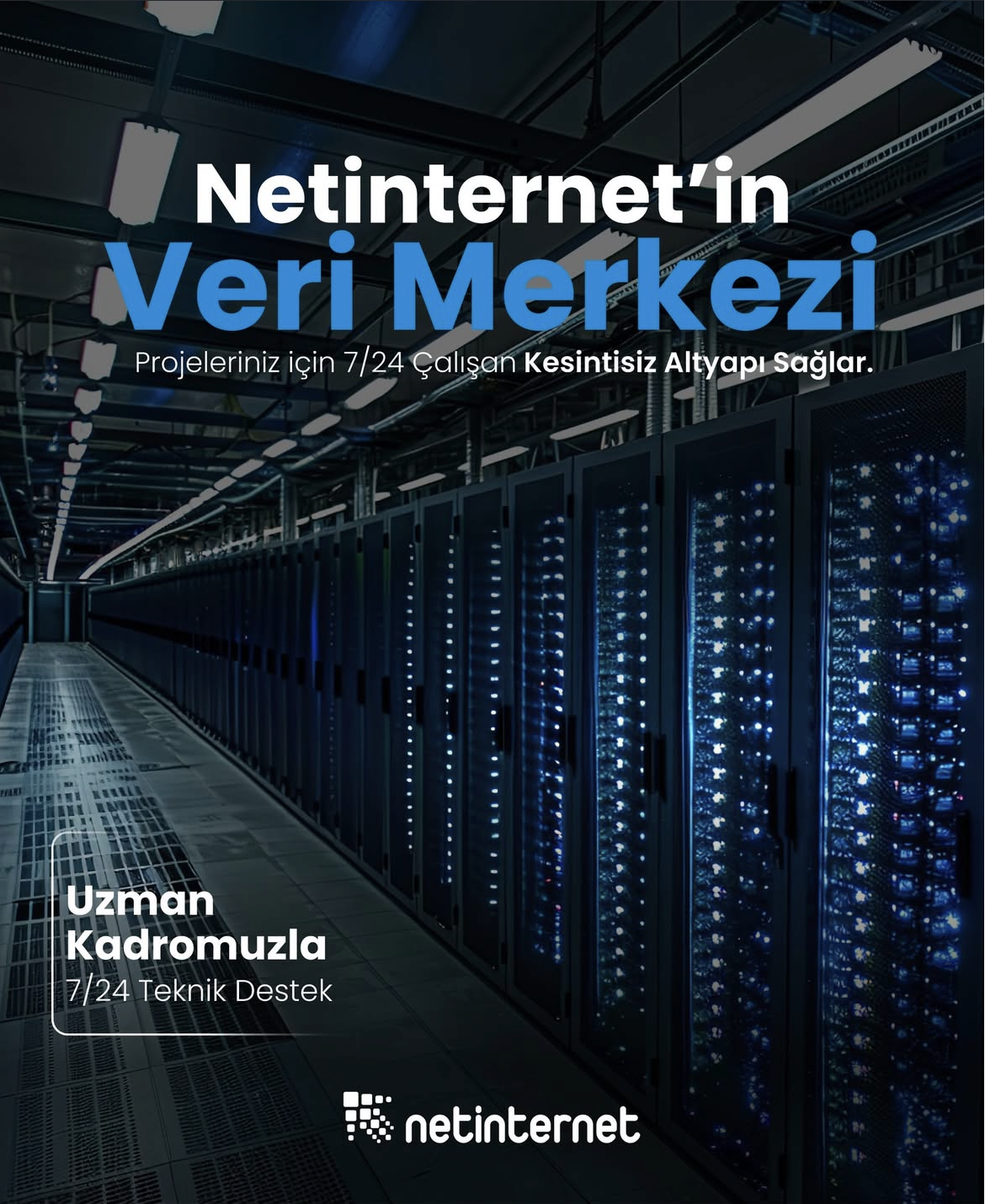
Our Physical Data Center Our corporate data center facility designed with high security standards and redundant power and cooling infrastructure Explore Now →
Power, Cooling, Security Facility architecture designed for critical infrastructures with redundant power lines, climate systems and multi-layered physical security Explore Now →
Internet Access Points Low-latency and high-availability backbone connections through multiple operators and internet exchange points Explore Now →
Network Infrastructure
Network Infrastructure Uninterrupted connectivity infrastructure with multi-carrier connections, redundant backbone and high-capacity network architecture Explore Now →
Network Policies Sustainable network operation policies with transparently defined rules for traffic management, peering, security and capacity usage Explore Now →
Planning and Processes Scalable and controlled network management approach with pre-designed network capacity planning, growth scenarios and operational processes Explore Now →
Certificates and Documents
Our Certifications We provide auditable and sustainable infrastructure standards with our certifications for information security and service continuity Explore Now →
Security Policy We ensure protection of infrastructure and data with our security policies covering information security, access control and risk management Explore Now →
KVKK Compliance Data processing and storage structure compliant with KVKK and related regulations with defined technical and administrative measures for personal data protection. Explore Now →
Quality Policy Our quality management policies within the scope of ISO 9001 for continuous improvement of service quality. Explore Now →
Service Management Policy Our policies and standards governing IT service management processes within the scope of ISO/IEC 20000-1. Explore Now →
Business Continuity Policy Our ISO 22301 compliant policies and procedures ensuring business continuity against possible outage scenarios. Explore Now →
Incident Management Policy Our incident management processes and action plans for the detection, response and resolution of security incidents. Explore Now →
Supplier Security Policy Our policy governing information security requirements and risk assessment processes in supplier relationships. Explore Now →
Disclosure Text Text prepared within the scope of our disclosure obligation regarding the processing of your personal data under KVKK. Explore Now →
Cookie Policy Our policy regarding cookies and data collection practices used on our website. Explore Now →
Hosting Provider and Legal Obligation Policy Legal obligations we fulfill as a hosting provider under Law No. 5651. Explore Now →
Blog Posts Technical analyses, sector evaluations and current content about data center, network, cyber security and cloud technologies Explore Now →
Case Studies Reference case studies describing needs encountered, solutions applied and outcomes achieved in real projects Explore Now →
Events and Announcements Events we attend and organize, technical meetings, launches and current announcements about Netinternet Explore Now →
19 Years of Experience

Blog Posts

Discover the success stories of our customers' digital transformation journeys. Each project demonstrates the power of our reliable infrastructure.

Başarı Hikayeleri
1047 Hit
2 Comments

ISO 27001:2013 Information Security Management System

Dear Customers,


Our company has decided to implement TS ISO IEC 27001:2013 Information Security Management Systems, TS EN ISO 9001:2008 Quality Management Systems, TS ISO IEC 20000_1 Information Technology and Service Management Systems, and TS EN ISO 22301:2013 Social Security and Business Continuity Management Systems approaches. Accordingly, the relevant document is presented below.


Please click to view the document.

1047 Hit
0 Comments
View Details
812 Hit
2 Comments

Mounting ISO Format CD Images to the System

You can mount an existing ISO format CD image on your system under a folder. To do this, first create the folder to be mounted:


mkdir -p /mnt/iso_image

Then, inside the directory where the image is located, run:


mount -o loop -t iso9660 image.iso /mnt/iso

All CD contents will be accessible from /mnt/iso.

812 Hit
0 Comments
View Details
946 Hit
2 Comments

Simulation of the Future in the Press

Press coverage from the “Simulation of the Future” event held on Wednesday, March 5, 2014, at Pamukkale University Conference Hall, where our Technology Director Volkan ORANSOY participated as a speaker.


From the press:


946 Hit
0 Comments
View Details
1131 Hit
2 Comments

Our Cloud Service Has Been Renewed! Now More Powerful and Faster...

As Netinternet, our new service resulting from our investments to provide you with a true cloud platform is ready for use — Cloud Server service!


Cloud Computing is a flexible information technology concept that abstracts hardware and software infrastructures in data centers, allowing services to run in a shared resource pool. Cloud servers form the cloud computing infrastructure; systems run on multiple redundant systems. The system has the ability to self-heal in case of hardware failures.


Virtualization is the most important building block of cloud computing. Netinternet provides virtualization services with the industry leading software and hardware. With Netinternet virtualization environment, you can receive cloud infrastructure services with a pay-as-you-go model without any infrastructure cost. In this model, both your investment cost and your risk are zero.


Click for Cloud Server package prices.


Click for high number of servers and resources.


You can contact us for more information about cloud servers. Please note that we provide free consulting for migrating physical servers to cloud servers and resource analysis for cloud servers.

1131 Hit
0 Comments
View Details
839 Hit
2 Comments

Cloudlinux Kernel Update

Dear Customers,


Cloudlinux has announced a Cloudlinux Kernel Update on their official website. This update is a necessary security measure. Customers using Cloudlinux on their servers should perform the kernel update using the following commands.


Update for CL6 Servers: $ yum install kernel-2.6.32-531.17.1.lve1.2.60.el6


Hybrid Kernel Update: $ yum install kernel-2.6.32-531.17.1.lve1.2.60.el5h


After applying these commands, do not forget to reboot the server so it starts with the new kernel.


We wish you good work.

839 Hit
0 Comments
View Details
823 Hit
2 Comments

cPanel Version 11.44 Released

Dear Customers,


cPanel version 11.44 has introduced new and great features to its users. The improvements made to transfer and restore operations via WHM panel are well-placed and excellent. However, the most notable new feature is the “Configuration Cluster” feature. Let’s take a look at what’s new in the new version of cPanel.


Transfer and Restore Operations


In older versions of cPanel, transfer operations via WHM panel required each account to be moved one by one, which made server migrations with many accounts take many hours. With the new feature, up to 5 users can be transferred simultaneously during a transfer operation.


Configuration Cluster


We all know how long it takes to set up a cPanel server and configure all Apache, php.ini, and my.cnf settings after installation. But now you can say goodbye to that problem. With this new feature, cPanel allows you to copy all settings from one server to other servers exactly as they are. The logic is simple: designate one server as the main server and add other servers as secondary servers under the “Configuration Cluster” section. After this, all settings from the main server are applied to the added secondary servers. In short, you copy all your settings to another server in a simple way.


Support System


With the new “Grant cPanel Support Access”, you can now connect to cPanel support with just a few mouse clicks and ask for help with your issues. However, you need to be a member of cPanel’s Customer Portal to do this.


For more detailed information about cPanel version 11.44: http://releases.cpanel.net/

823 Hit
0 Comments
View Details
1051 Hit
2 Comments

cPanel NOC Partner (Netinternet Telekom)

Netinternet Telekom has become the 2nd Partner of cPanel in Turkey, one of the most widely used Hosting control panels in the world. As a result of the NOC Partner application to the American company cPanel INC. to provide faster solutions for our customers’ cPanel needs and to increase customer satisfaction, Netinternet Telekom has now started to be listed on the company’s website at www.cpanel.net.


Netinternet, which started being published on the Partner page alongside Doruknet (the only Turkish cPanel Inc. partner at the time), will begin providing services in the area of new addon software and license management for the cPanel Hosting Control Panel in the new service period.


Thanks to cPanel, which greatly simplifies server management, instead of installing, configuring, and setting up all the software required for a hosting server one by one, you can simply install cPanel and start opening accounts on your web server right away. With its fully customizable structure, cPanel can be segmented all the way down to the end user, enabling Reseller service among many other additional features. With its script library, you can install and manage all the web components you need in seconds without reading any documentation or spending hours trying. As the first third-party application for cPanel, we will be offering Fantastico, followed by RVSkin and many other third-party applications that can be used alongside the license you rent.


As Netinternet Telekom, we work 24 hours a day to provide you with better service. You can follow all partnership agreements and new services on our blog page.


Netinternet Telekom
Osman Makal

1051 Hit
0 Comments
View Details
1876 Hit
2 Comments

Log Archiving Compliant with Law No. 5651 on cPanel Servers

With the new regulation, the obligation imposed on hosting providers under Law No. 5651 to store site access logs for at least six months is being extended to at least one year, with fines of up to 100,000 TL in case of non-compliance. Unfortunately, archiving access logs is a tedious and costly process. If we take commonly used control panels as an example, cPanel and all other hosting software process access records to generate a series of statistical data in the panel and then delete them to save space. The log archiving process must be done without disrupting control panel functions and without any gaps. In this article, we will share with you the cPanel access log archiving system produced by our R&D team.


One of the best methods for getting cPanel logs in a more organized and desired format is cPanel hooks. These hooks allow us to perform desired operations before, after, or during certain cPanel operations.


Functions related to cPanel logs are grouped under Stats Functions. These functions consist of 4 main functions: RunAll(pre/post) and RunUser(pre/post).


RunUser: The hook you define with RunUser will run for each user with user-level permissions. The hook specified with RunUser is called separately for each user. cPanel sends information about the current process in JSON format via stdin when calling the hook file.


RunAll: A hook can be defined to run after all user stats operations are completed with RunUser. cPanel does not send any data when calling this hook function.


Hooks can be written in many languages, but let’s create a backup hook in Perl based on the examples cPanel provides us.


mkdir /usr/local/cpanel/Netinternet
touch /usr/local/cpanel/Netinternet/NetinternetBackup.pm

Create a simple Perl module with the describe method required by cPanel hooks:


package Netinternet::NetinternetBackup;
use strict;
use warnings;

sub describe {
my $hooks = [
{
‘namespace’ => ‘Stats’,
‘function’ => ‘RunUser’,
‘hook’ => ‘Netinternet::NetinternetBackup::copy_logfiles’,
‘stage’ => ‘pre’,
},
];
return $hooks;
}

sub copy_logfiles {
return 1;
}

1;


The final version of our script:


package Netinternet::NetinternetBackup;
use File::Copy;
use File::Path;
use strict;
use warnings;
use POSIX;
sub describe {
my $hooks = [
{
‘namespace’ => ‘Stats’,
‘function’ => ‘RunUser’,
‘hook’ => ‘Netinternet::NetinternetBackup::copy_logfiles’,
‘stage’ => ‘pre’,
},
];
return $hooks;
}

sub copylogfiles {
my $year = POSIX::strftime(‘%Y’, localtime());
my $mon = POSIX::strftime(‘%m’, localtime());
my $mday = POSIX::strftime(‘%d’, localtime());
my ( $context, $args ) = @
;
my $user = $args->{‘user’};
foreach my $log_ref ( @{ $args->{‘logfiledesc’} } ) {
my $access_log = $log_ref->{‘logfile’};
my $backup_location = “/backup/$user/$year/$mon/$mday/” . $log_ref->{‘domain’} . ‘.’ . time();
if ( !-e “/backup/$user/$year/$mon/$mday” ) {
mkpath(“/backup/$user/$year/$mon/$mday/”);
}
print “Backing up ” . $log_ref->{‘domain’} . “ domain to: $backup_location
”;
File::Copy::copy( $access_log, $backup_location ) || print STDERR $! . “
”;
}
return 1;
}

1;


To register the module with cPanel:


/usr/local/cpanel/bin/manage_hooks add module Netinternet::NetinternetBackup

As a result of these operations, while statistical data is being generated for each cPanel user, a copy of the logs will be copied to the specified directory. You can also add a compression function while copying logs, but keep in mind that this may extend the processing time. At Netinternet, we perform compression operations after obtaining the logs in raw form. Since access files are text files, tools like gunzip can compress them by up to 90%.

1876 Hit
0 Comments
View Details
978 Hit
2 Comments

Taking Quick Backups on cPanel

Sometimes on cPanel we may need to take backups in different ways. I will explain how to take backups using the /scripts/pkgacct software which can take backups faster than normal. I will also explain how to completely transfer a server to another server using the reverse operation /scripts/restorepkg.


To back up a normal site:


Example: linux10.com with username linuxtr.


To take a backup:


/scripts/pkgacct linuxtr

This will immediately start backing up the account with username linuxtr and place the compressed tar.gz file in the /home directory as cpmove-linuxtr.tar.gz.


Transfer the file to another server via RSYNC or SCP, place it in the /home directory, and restore it:


/scripts/restorepkg linuxtr

To back up all users on the server:


for b in $(ls /var/cpanel/users); do /scripts/pkgacct $b;done

After all backups are complete, transfer to another server (example IP 10.0.0.3):


cd /home
scp cpmove-* root@10.0.0.3:/home

If the destination server uses a different SSH port (e.g. 9980):


cd /home
scp -P9980 cpmove-* root@10.0.0.3:/home

To restore all backups on the second server:


cd /home
for r in $(ls | grep tar.gz | cut -d- -f2 | cut -d. -f1); do /scripts/restorepkg $r;done

This backup method is very useful for systems with corrupted disk structures that cannot be fixed with FSCK, and it is also faster than other methods for normal server migrations.

978 Hit
0 Comments
View Details